
What is Canva? A Beginner’s Guide
Canva is one of the world’s most popular online graphic design tools. It allows anyone to create beautiful designs without needing professional design skills. Whether you’re a student, business owner, blogger, or social media creator, Canva makes designing quick and easy with its drag-and-drop editor.
In this beginner’s guide, you’ll learn what Canva is, its key features, benefits, and how to start using it.
What is Canva?

Canva is a cloud-based graphic design platform launched in 2013. It enables users to create professional-looking graphics using pre-designed templates, images, icons, fonts, and other design elements.
You can use Canva directly from your web browser or through its mobile and desktop apps.
Why is Canva So Popular?
Canva has become popular because it removes the complexity of graphic design. Instead of learning complicated software like Adobe Photoshop or Illustrator, beginners can create attractive designs in just a few minutes.
Some reasons people love Canva include:
- Easy drag-and-drop editor
- Thousands of ready-made templates
- Free version with powerful features
- Available on desktop and mobile
- No professional design experience required
- Team collaboration features
Features of Canva
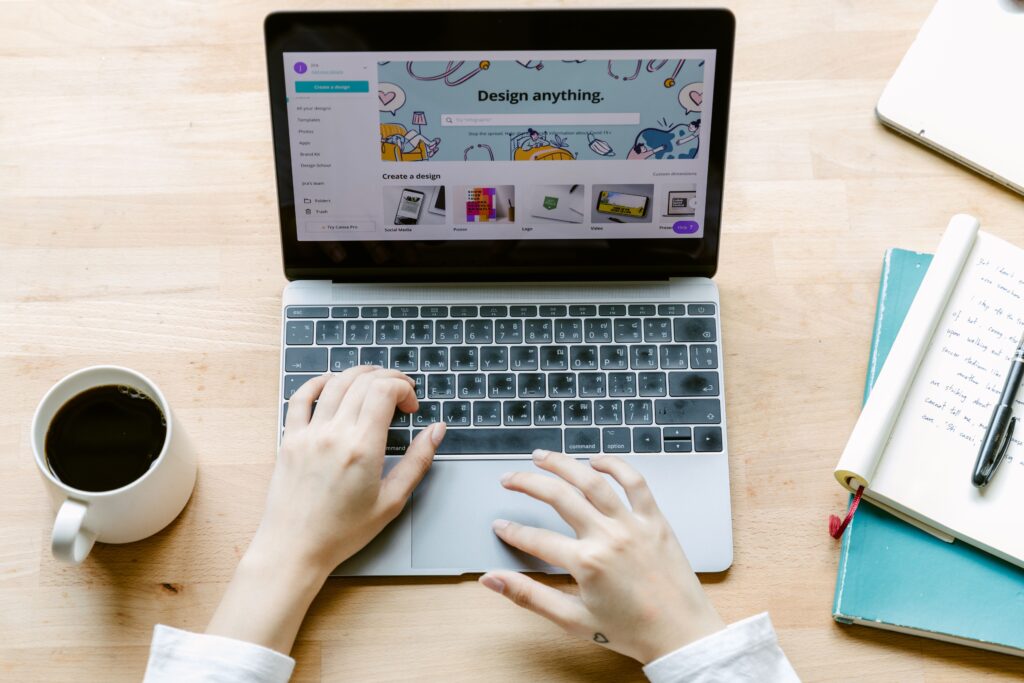
1. Drag-and-Drop Editor
Canva lets you simply drag images, icons, text, and shapes onto your design. Everything is easy to move, resize, rotate, and customize.
2. Ready-Made Templates
Canva offers thousands of templates for:
- Instagram Posts
- Facebook Posts
- Pinterest Pins
- YouTube Thumbnails
- Presentations
- Flyers
- Posters
- Invitations
- Business Cards
- Logos
- Certificates
- Resumes
These templates help beginners create professional designs in minutes.
3. Huge Library of Elements
Canva includes:
- Photos
- Icons
- Stickers
- Shapes
- Illustrations
- Videos
- Audio
- Charts
- Frames
Many are available for free, while premium content requires Canva Pro.
4. Text and Fonts
Canva provides hundreds of fonts that can be customized with:
- Color
- Size
- Alignment
- Effects
- Spacing
- Shadows
5. Background Remover
Canva Pro users can remove image backgrounds with one click, making it easy to create professional product photos and marketing materials.
6. AI Tools
Canva includes AI-powered features that help users:
- Generate images
- Write text
- Remove unwanted objects
- Resize designs instantly
- Translate content
- Edit photos quickly
These tools save time and improve productivity.
What Can You Create with Canva?
You can design almost anything, including:
- Social media graphics
- YouTube thumbnails
- Blog featured images
- Business presentations
- Posters
- Flyers
- Invitations
- Certificates
- Menus
- Infographics
- E-books
- Business cards
- Logos
- CVs and resumes
- Product mockups
- Pinterest pins Whether you’re creating content for personal use, school projects, or business marketing, Canva provides ready-made templates and tools to help you create professional-quality designs quickly and easily.
Canva Free vs Canva Pro
| Feature | Canva Free | Canva Pro |
|---|---|---|
| Templates | Thousands | Millions |
| Photos & Elements | Limited | Premium Library |
| Background Remover | No | Yes |
| Brand Kit | No | Yes |
| Magic Resize | No | Yes |
| AI Features | Limited | More Advanced |
| Cloud Storage | Limited | More Storage |
The free version is suitable for most beginners, while Canva Pro is ideal for businesses, marketers, and professional designers.
How to Start Using Canva

Getting started is simple:
- Create a free Canva account.
- Choose a design type (such as an Instagram post or presentation).
- Select a template.
- Customize the text, images, colors, and fonts.
- Download your design as PNG, JPG, PDF, or MP4.
- Share it online or print it.
Benefits of Canva
Some major advantages include:
- Beginner-friendly interface
- Saves time with ready-made templates
- No graphic design experience needed
- Accessible from any device
- Affordable compared to traditional design software
- Excellent for personal, educational, and business projects
Who Should Use Canva?
Canva is ideal for:
- Students
- Teachers
- Bloggers
- Small business owners
- Freelancers
- Digital marketers
- Social media managers
- Content creators
- YouTubers
- Pinterest creators
Tips for Beginners
To create better designs:
- Use simple layouts.
- Stick to two or three fonts.
- Choose a consistent color palette.
- Leave enough white space.
- Use high-quality images.
- Keep text easy to read.
- Save your brand colors for consistency.
Is Canva Worth Using?
Yes. Canva is an excellent choice for beginners because it combines ease of use with powerful design features. Whether you’re creating social media posts, blog graphics, presentations, or marketing materials, Canva helps you produce professional-looking designs without advanced design skills.

Conclusion
Canva has transformed graphic design by making it accessible to everyone. Its intuitive interface, vast template library, and powerful editing tools allow beginners to create high-quality designs quickly and efficiently. As your skills grow, you can also explore Canva Pro’s advanced features to further enhance your creative projects.
If you’re just starting your design journey, Canva is one of the best platforms to learn and create with confidence.
Follow TrendsByJishan on Pinterest for more affiliate marketing tips and shopping finds →
You Might Also Like
- Written by TrendsByJishan — helping you discover smart online earning opportunities.